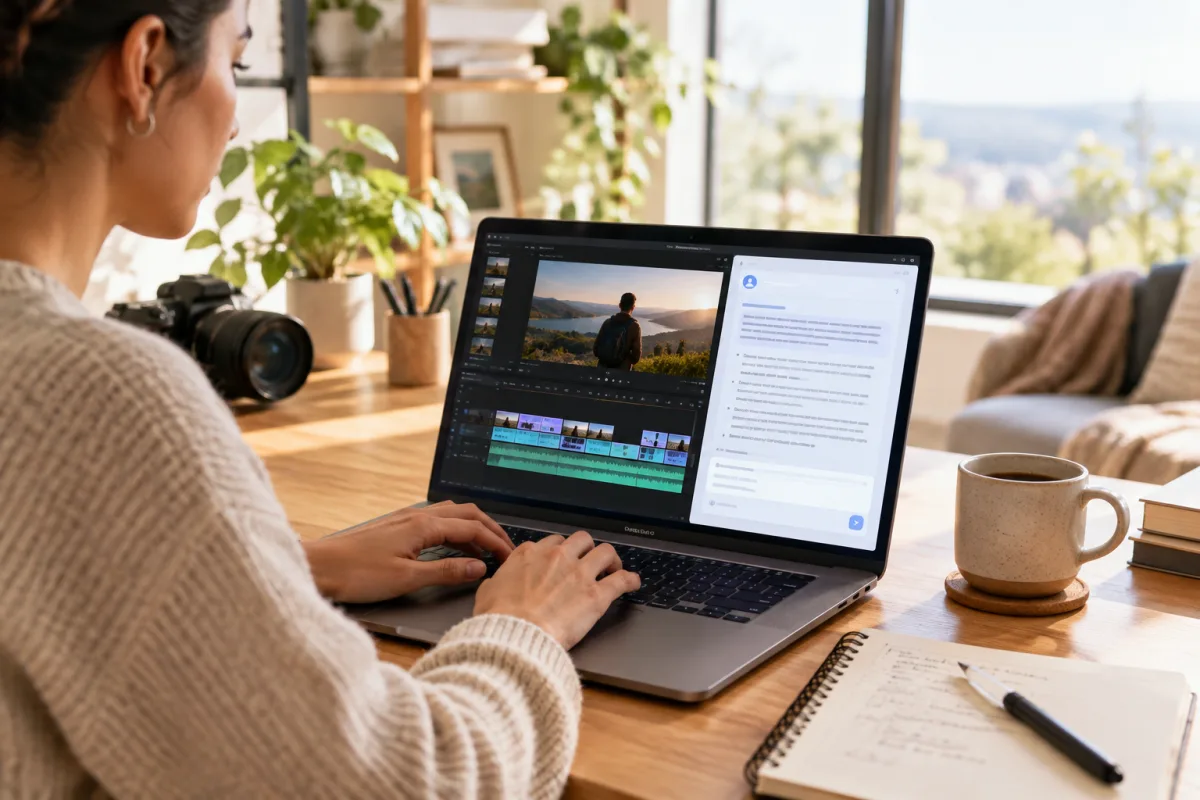
Understanding the Unique Needs of Video-First Creators
Video content demands more than just standard scheduling features. Unlike text or image posts, video files are larger, require specific aspect ratios, and often need platform-optimized metadata like captions or thumbnails. Video-first creators must consider these nuances when choosing a social media scheduler to avoid workflow bottlenecks.
Scheduling video posts isn't just about timing; it’s about ensuring the content looks and performs well on each platform. For instance, TikTok favors vertical, short-form clips with engaging captions, while YouTube supports longer content with detailed descriptions and playlist organization. A good scheduler will recognize these differences and provide tools to adapt your videos accordingly.
Moreover, video workflows often involve multiple stakeholders—editors, marketers, and creators—who need collaboration tools within the scheduler. Features like draft approvals, version control, and access controls can make publishing smoother and avoid last-minute errors.
Platform Support: Why It Matters More Than Ever
Your scheduler must support the platforms where your audience is. Facebook, Instagram, TikTok, LinkedIn, Pinterest, and YouTube are the main players for video content. Additionally, newer or federation-friendly platforms like Mastodon and Bluesky are gaining traction and can help diversify your audience.
Each platform has its own API capabilities and restrictions. For example, Instagram requires videos to be uploaded via specific endpoints, and TikTok’s direct scheduling APIs have limitations on video length and format. A scheduler that integrates deeply with these platforms will reduce manual work and improve reliability.
Consider also how the scheduler handles multi-destination posting. Cross-posting the same video across platforms can save time but might lead to suboptimal presentation. Some schedulers let you schedule platform-specific versions or customize captions to fit each channel’s style. This flexibility is crucial for maintaining engagement.
Federation and Open Networks: What Creators Should Know
Federated platforms like Mastodon and Bluesky operate differently from traditional social media. They emphasize decentralized networks and user ownership of content. For video creators, this means new opportunities and challenges in distribution.
Schedulers supporting federated platforms must handle different posting protocols and content limitations. These networks often prioritize open standards like ActivityPub, which differ from proprietary APIs of mainstream platforms.
Publishing to federated networks can help build an authentic audience less subject to algorithmic changes. However, creators should be aware of tradeoffs like smaller audience sizes and different engagement metrics. A scheduler that includes federation support alongside mainstream platforms offers a balanced approach.
Workflow Efficiency: Automate Without Losing Control
Video production is time-intensive. A social media scheduler should help you automate routine tasks without sacrificing quality. Features to look for include bulk uploading, auto-formatting video to platform specs, caption and hashtag management, and automated posting based on best engagement times.
However, automation should not replace human review. Look for schedulers that allow previewing posts exactly as they will appear on each platform. This helps avoid embarrassing formatting errors or content mismatches.
Integration with existing tools is also important. If you use cloud storage like Google Drive or Dropbox, or video editing suites, a scheduler that connects smoothly will reduce friction.
Collaboration and Team Features
If you work with a team, the scheduler should support roles and permissions. Editors, social media managers, and creators might need different levels of access.
Look for draft and approval workflows, commenting and feedback within the platform, and activity logs for accountability.
These features reduce miscommunication and help keep your publishing calendar on track.
Analytics and Insights Tailored for Video
Scheduling is just one part of the puzzle. Understanding how your videos perform helps refine your content strategy.
Seek a scheduler that offers analytics focused on video metrics like view counts, engagement rates, audience retention, and performance by platform and post type.
Some platforms provide limited data via APIs, so a scheduler that aggregates these insights saves time and improves decision-making.
Cross-Posting Strategies: When to Use and When to Customize
Cross-posting the same video across multiple platforms can boost reach but may reduce engagement if the content doesn’t fit the platform’s style.
A smart scheduler will let you post to multiple destinations with one upload, customize captions and hashtags per platform, and choose platform-specific edits like cropping for Instagram Stories versus YouTube.
For example, you might want to post a full-length YouTube video on Facebook but share a teaser clip on TikTok. Balancing efficiency with tailored content is key.
For creators focused on short-form content, exploring workflows like Cross Post YouTube Shorts to TikTok can provide valuable insights.
Practical Example: Building a Repeatable Workflow
Imagine a creator who produces weekly video tutorials. Their scheduler should allow them to upload the master video once, automatically convert it into platform-appropriate formats, schedule posts on YouTube (full video), Instagram (short clips), TikTok (highlights), LinkedIn (professional summary and video), and Mastodon (open network sharing).
They should be able to customize captions and thumbnails per platform and receive analytics to track audience engagement.
VidSyndicate supports such workflows by offering a centralized platform that accommodates both mainstream and federated destinations, making it easier to manage video publishing at scale.
Optimizing Video Metadata for Maximum Reach and Engagement
While the quality of your video content is paramount, the metadata that accompanies your videos plays a critical role in discoverability and engagement. Metadata includes titles, descriptions, tags, captions, and thumbnails. A social media scheduler designed for video creators should provide robust tools to optimize these elements for each platform.
Titles and descriptions need to be concise yet descriptive, incorporating relevant keywords naturally to improve searchability. For example, YouTube's algorithm heavily weighs keyword relevance in titles and descriptions to surface videos in search results and recommendations. Meanwhile, TikTok captions should be engaging and prompt interaction, as the platform emphasizes user engagement signals.
Thumbnails serve as the visual gateway to your video. A scheduler that allows you to upload custom thumbnails or select from multiple video frames ensures that your video stands out in crowded feeds. This is especially important on platforms like YouTube and Facebook, where thumbnails influence click-through rates significantly. Additionally, some schedulers help you preview how thumbnails will appear on different devices, helping you avoid cropping or clarity issues.
Closed captions and subtitles not only improve accessibility but also boost engagement by making videos watchable without sound, a common user behavior on mobile devices. Look for schedulers that support adding, editing, and syncing captions across platforms. Automated captioning is helpful but often requires manual correction to ensure accuracy and context, so integration with caption editing tools can save time and improve quality.
Managing Video Formats and Technical Specifications
Each social media platform has its own technical requirements for video uploads, including file size limits, supported codecs, aspect ratios, and frame rates. A competent social media scheduler for video should either automatically handle these conversions or provide clear guidance to avoid upload failures or degraded video quality. For example, Instagram Stories and Reels prefer vertical 9:16 aspect ratio videos, while YouTube favors 16:9 horizontal videos.
Auto-formatting features can save creators significant time by converting a single master file into multiple versions tailored for each platform. This includes resizing, cropping, compressing, and adjusting bitrate. Ideally, the scheduler will allow you to preview these conversions before scheduling to verify framing and quality. This ensures your videos look professional regardless of where they're posted.
Beyond aspect ratios, some platforms have unique constraints, such as TikTok's maximum video length of 10 minutes or Facebook's preferred video codecs. A scheduler that stays updated with these platform-specific specifications and enforces them during upload helps avoid frustrating rejections or performance issues after posting. This reliability is crucial for maintaining a consistent publishing schedule.
Additionally, pay attention to audio specifications. Some platforms require specific audio channels or bitrates. Ensuring your scheduler handles these technical details reduces the need for manual video re-encoding and streamlines the publishing process. Integration with popular video editing tools can also facilitate smooth file transitions from editing to scheduling.
Leveraging Scheduling Analytics to Refine Content Strategy
Beyond merely tracking view counts, advanced scheduling tools offer insights that help creators understand audience behavior and refine their content strategies. For instance, knowing which parts of a video retain viewers or cause drop-offs can guide improvements in pacing and content structure. Some schedulers aggregate retention data across multiple platforms to provide a holistic view.
Engagement metrics such as likes, comments, shares, and saves are essential indicators of content resonance. A scheduler that tracks these by platform and over time enables you to identify trends, such as which topics or video styles perform best. This data-driven approach helps prioritize content that drives growth and engagement rather than relying on guesswork.
Scheduling analytics can also reveal optimal posting times by analyzing when your audience is most active and responsive. Automated scheduling features that suggest or auto-select these times can increase the likelihood of your videos being seen and interacted with. Over time, these insights help build a publishing rhythm that maximizes reach without increasing workload.
Moreover, some schedulers provide competitor benchmarking or hashtag performance insights, giving creators context about their niche and content positioning. Access to these analytics within the scheduling platform eliminates the need for multiple tools and consolidates your workflow, making it easier to adapt and evolve your content strategy based on solid data.
Integrating Social Media Scheduling with Video Editing Workflows
For video-first creators, the process doesn't end once the video is edited; integrating scheduling seamlessly into the editing workflow can save time and reduce errors. A social media scheduler that offers direct integration or plugins for popular video editing software like Adobe Premiere Pro, Final Cut Pro, or DaVinci Resolve can streamline the transition from creation to publication.
Such integrations allow creators to export finalized videos directly into the scheduler, often with metadata fields pre-populated based on project details. This reduces duplication of effort and minimizes the risk of mismatched titles, descriptions, or tags between the editing environment and the publishing tool. It also helps maintain consistency across multiple platforms.
Moreover, integration can extend to collaborative editing environments where multiple team members contribute. For example, cloud-based editing platforms like Frame.io now support annotations and review cycles that can link directly to scheduling tools, allowing for a smoother handoff when content is approved for publishing. Creators should look for schedulers that support these modern workflows or at least offer APIs for custom integrations.
Finally, some schedulers include built-in basic editing features such as trimming, cropping, or adding captions directly within the platform. While these won't replace full editing suites, they can be invaluable for quick adjustments or creating platform-specific versions without switching tools. Choosing a scheduler that balances integration with editing tools and in-app editing capabilities can significantly enhance workflow efficiency.
Handling Video Rights and Compliance in Scheduling
Video creators must also navigate rights management and compliance issues, especially when publishing across multiple platforms. A robust social media scheduler should provide features to help manage licensing, copyright claims, and platform-specific content policies to avoid takedowns or penalties. This is particularly important for creators using third-party music, stock footage, or branded content.
Some schedulers allow you to attach rights documentation or licensing information to each video post. This centralized record-keeping is useful for audits or disputes. Additionally, schedulers that integrate with content ID systems or provide alerts for potential copyright conflicts can prevent publishing content likely to be flagged or demonetized.
Compliance with platform guidelines is another critical area. Features like content filters or automated checks can warn creators if their videos include restricted content, such as adult material, violence, or misinformation, that could violate platform policies. This proactive approach reduces the risk of account suspension or reduced visibility.
For creators targeting international audiences, schedulers that support geo-targeting or regional compliance options help tailor content distribution appropriately. For example, certain music licenses or content restrictions vary by country. Being able to schedule region-specific posts or versions ensures you stay compliant while maximizing reach and engagement.
Monetization and Sponsorship Management Through Scheduling Platforms
As video creators grow their audience, monetization and sponsorship become key considerations. Some advanced social media schedulers offer features to help manage sponsored content, brand partnerships, and monetization workflows within the publishing process. This can simplify tracking obligations and maintaining transparency with sponsors and audiences.
Schedulers might include options to tag or label sponsored posts, ensuring they are clearly marked according to legal requirements such as FTC guidelines. This helps creators maintain trust and avoid penalties for undisclosed advertising. Scheduling platforms that automate these disclosures save time and reduce errors compared to manual processes across multiple platforms.
Additionally, integration with affiliate marketing and monetization tools can provide insights into how sponsored videos perform compared to organic content. Tracking engagement, click-throughs, and conversions directly within the scheduler or through connected analytics helps creators optimize sponsored content strategies and demonstrate value to partners.
Some platforms also support payment tracking or invoicing features linked to scheduled campaigns. Centralizing these financial and publishing workflows can be a boon for small teams or solo creators managing multiple sponsorships, helping maintain professional relationships and consistent delivery without juggling disparate tools. Choosing a scheduler with monetization features aligned to your business model can accelerate growth and simplify management.
How this connects to VidSyndicate
VidSyndicate supports video-first creators with a powerful social media scheduler that integrates platforms like Facebook, TikTok, YouTube, and federated networks such as Mastodon and Bluesky. Its centralized workflow helps you upload video once and post everywhere efficiently, making it easier to maintain a consistent publishing schedule. Useful next reads are Upload Video Once, Post Everywhere and Cross Post YouTube Shorts to TikTok.