
Start with one source
Keep the original video at the center of the workflow instead of rebuilding disconnected posts.
Buffer is strong for general social scheduling. VidSyndicate gives video-first creators a calmer path from one upload to AI-assisted metadata, platform-ready versions, and a visual publishing calendar.
AI metadata readyTitle · description · hashtags
9 versions preparedOne source video
The best Buffer alternative is not simply another queue. For video-heavy schedules, it should reduce the repeated work between the source file, each platform’s copy, and the final publishing plan.
Keep the original video at the center of the workflow instead of rebuilding disconnected posts.
Create editable titles, descriptions, captions, hashtags, and calls to action from the same context.
Review platform-aware versions before each supported publishing workflow moves forward.
Both products can schedule social content. The meaningful difference is what each workspace is organized to help you do before and after scheduling.
| Workflow capability | Buffer | VidSyndicate |
|---|---|---|
| Core orientation | General social publishing | Video-first publishing |
| Schedule videos and posts | ✓ Yes | ✓ Yes |
| Visual publishing calendar | ✓ Yes | ✓ Yes |
| AI writing assistance | Caption and idea assistance | Titles, descriptions, captions, hashtags, and variations |
| Upload-once workflow | Multi-channel composer | Source media stays connected to platform versions |
| Platform-specific customization | ✓ Yes | ✓ Yes |
| Organized source-video archive | Media attached to publishing content | Video library and reusable source assets |
| Idea-to-campaign workspace | Ideas and AI Assistant | Brain Dump to prepared publishing plan |
| Best fit | Broad social scheduling | Creators building repeatable video operations |
Feature availability can depend on plan, connected channel, content type, account permissions, and each network’s API rules. Comparison reflects publicly documented Buffer capabilities and VidSyndicate’s current product workflow.
Move beyond a list of disconnected posts. See scheduled videos, open days, processing status, and upcoming work in one calendar.
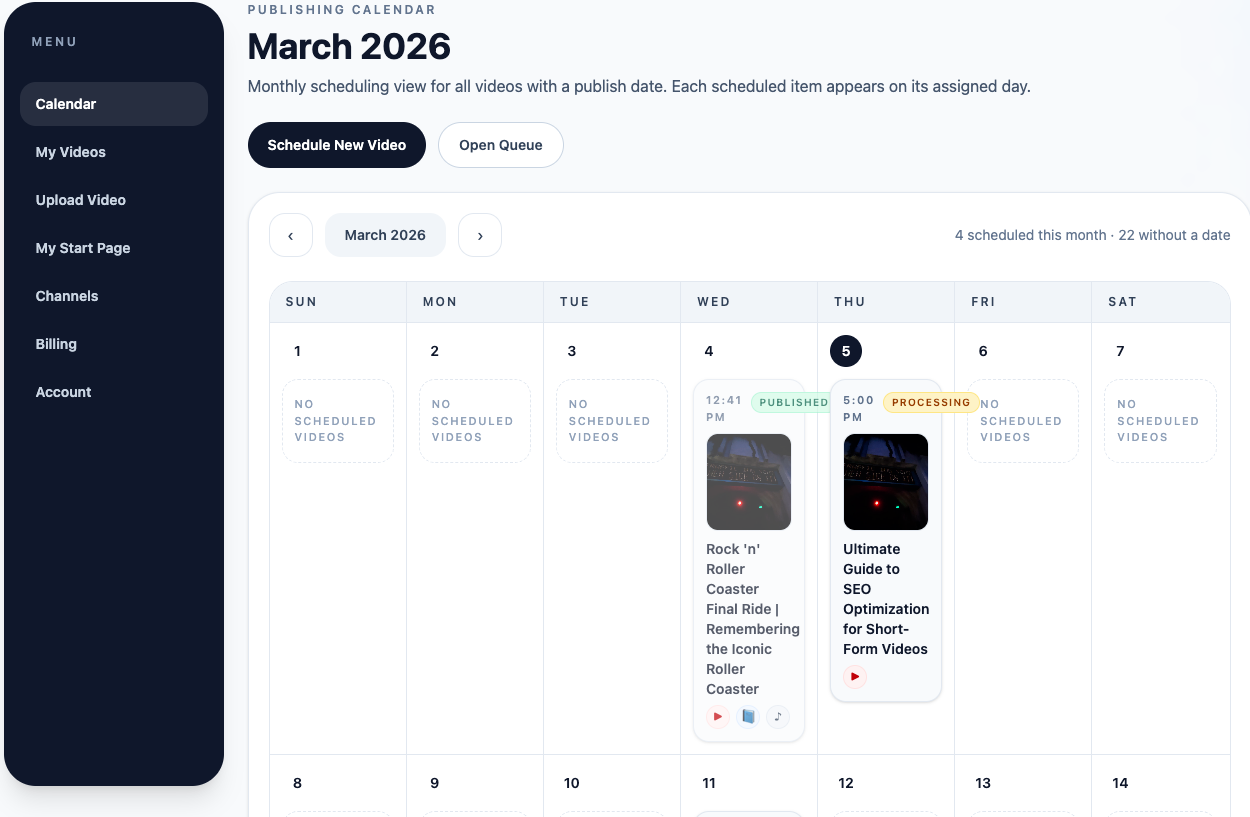 01 Spot schedule gaps
02 Track publishing status
03 Open the queue
01 Spot schedule gaps
02 Track publishing status
03 Open the queue
VidSyndicate keeps the creative source, generated copy, channel versions, and publishing calendar connected so you can spend less time moving content between tools.
Start from one source video and keep its publishing work together.
Generate editable title directions from the actual content context.
Prepare long and short copy without staring at an empty field.
Adapt metadata and delivery choices for each destination.
Turn an unfinished thought into a structured content direction.
Return to existing source media and put useful videos back to work.
See upcoming content, schedule gaps, and current status.
Coordinate supported publishing workflows from one plan.
Buffer remains a capable option for general social scheduling, broad channel support, queue planning, a visual calendar, and AI-assisted post writing. It is a mature choice for social media managers who want a flexible publishing tool.
Options creators often evaluate include Hootsuite, Later, Metricool, Sprout Social, and VidSyndicate. The right choice depends on whether your work centers on broad social management, analytics, approvals, visual planning, or repeatable video publishing.
VidSyndicate is positioned as video publishing infrastructure: upload once, optimize with AI, and publish with platform-aware workflows. To learn more about the underlying publishing system, read What Is VidShare?
Start with the workflow difference that matters most, then test the free plan with your own content.
It can replace the publishing and scheduling portion of a workflow for creators who prefer a video-first system. Teams relying on other Buffer tools should compare those requirements separately.
Yes. Both support video publishing workflows. VidSyndicate is differentiated by keeping source media, AI-assisted metadata, platform versions, and scheduling work connected.
Yes. You can create an account and test the core workflow without entering a credit card.
Generated copy is a starting point. Review titles, descriptions, links, claims, and platform requirements before scheduling or publishing.
VidSyndicate supports workflows for Facebook, Instagram, LinkedIn, Pinterest, TikTok, YouTube, X, Bluesky, and Mastodon. Availability varies by content type and platform permissions.
Start free, connect the channels that matter, and see whether a video-first publishing workspace fits the way you create.