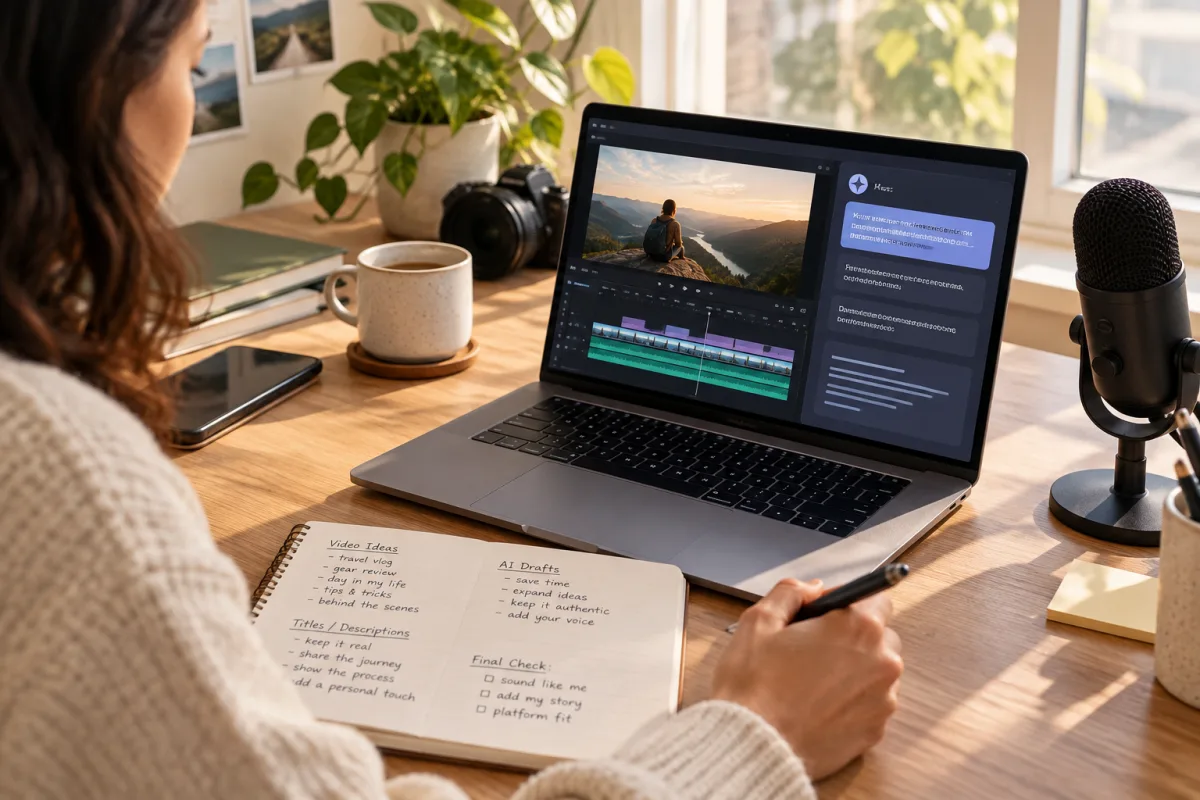
Understanding the Role of AI in Video Description Writing
AI tools use natural language processing to analyze your video content, keywords, and trends, then produce title and description drafts that can speed up the publishing process. For creators juggling multiple platforms, this can reduce the time spent crafting text for each video.
However, AI-generated content is based on patterns learned from large datasets and lacks the personal context and subtlety that human creators provide. For example, AI might miss your characteristic humor, storytelling style, or specific audience preferences. If left unedited, AI outputs can come across as generic or even misleading, which undermines your video’s discoverability and viewer engagement.
Why Maintaining Your Voice Matters
Your voice is the essence of your brand identity. It fosters familiarity and trust with your audience. Viewers return because they relate to your style, values, and personality—not just the topics you cover.
Studies consistently show that authenticity drives engagement metrics like watch time, comments, shares, and subscriber loyalty. In contrast, robotic or overly generic content can alienate viewers and reduce algorithmic reach.
Platforms like TikTok and Instagram increasingly prioritize genuine interactions and creator authenticity in their algorithms. This means that expressing your unique voice in titles and descriptions is not just branding — it’s a discoverability strategy.
Furthermore, your voice helps differentiate your content in crowded feeds. It signals what viewers can expect, making it easier to build a loyal community rather than chasing fleeting clicks.
Practical Steps to Use AI-Generated Descriptions Responsibly
Integrating AI into your workflow doesn’t have to mean losing control. Here’s a practical five-step process to responsibly use AI for video titles and descriptions:
- Start with AI-generated drafts: Use AI tools to create a base description containing relevant keywords and a general summary.
- Personalize and edit: Inject your personality, correct any factual errors, and adjust phrasing to fit your tone.
- Align with platform norms: Tailor your descriptions to each platform’s character limits, style, and audience expectations.
- Add context and calls to action: Include links, hashtags, or viewer prompts that encourage engagement and fit your brand.
- Test and iterate: Monitor performance metrics, then refine your templates and editing approach over time.
By balancing AI efficiency with human creativity, this workflow helps maintain authenticity without sacrificing speed.
Platform-Specific Tips for AI-Generated Descriptions
Every social media platform has distinct norms and technical constraints for video descriptions. Adapting your AI-assisted content accordingly improves effectiveness.
- YouTube: Use longer, keyword-rich descriptions that thoroughly explain content. Include timestamps, external links, and calls to subscribe or watch related videos.
- TikTok: Keep descriptions short and conversational, highlighting key points or emotions. Strategic hashtags are important to boost visibility.
- Instagram: Craft storytelling captions paired with relevant hashtags. Engaging questions or prompts encourage comments.
- Facebook: Combine descriptive text with direct links and calls to share. Emojis and casual language perform well.
- LinkedIn: Maintain a professional, clear tone emphasizing value propositions and business insights.
- Pinterest: Focus on concise, keyword-focused descriptions to improve searchability within the platform.
- Mastodon and Bluesky: Prioritize transparency and community-oriented language. Avoid clickbait, respect character limits, and use a consistent voice across federated networks.
AI can help tailor drafts to these specific formats, but human review remains essential to polish tone and context.
Federation-Friendly Video Publishing: Cross-Posting with AI-Enhanced Descriptions
Federated platforms like Mastodon and Bluesky offer open, decentralized alternatives to traditional social networks. They emphasize community control, transparency, and interoperability.
When cross-posting videos with AI-generated descriptions to federated networks, keep these points in mind:
- Avoid platform-specific jargon: Use neutral, clear language that translates well across different communities.
- Respect character limits: For example, Mastodon’s 500-character limit means descriptions must be concise and impactful.
- Maintain a consistent voice: Your brand tone should feel familiar whether on Twitter, Facebook, or Mastodon.
- Include direct links to your primary content hubs: Federated audiences appreciate transparent pathways to explore your work further.
VidSyndicate facilitates federation-friendly publishing workflows, enabling you to distribute videos with tailored descriptions efficiently across both centralized and federated platforms.
Tradeoffs of Using AI-Generated Descriptions
Leveraging AI-generated descriptions involves balancing benefits against potential drawbacks.
Pros:
- Significant time savings on repetitive writing tasks.
- Generation of keyword-rich drafts that can improve SEO and discoverability.
- Helpful for overcoming writer’s block or content fatigue.
Cons:
- Risk of generic or inaccurate descriptions if outputs are published without review.
- Potential dilution of your unique voice and audience connection.
- Requires ongoing human oversight, which can add complexity.
Recognizing these tradeoffs enables you to design workflows that maximize AI’s advantages while safeguarding authenticity.
Example Workflow Integrating AI Descriptions with VidSyndicate
VidSyndicate offers a unified platform to manage your video publishing workflow across multiple destinations, including Facebook, YouTube, TikTok, Mastodon, and more.
Here’s a sample workflow that integrates AI-generated titles and descriptions responsibly:
- Upload your video to VidSyndicate’s centralized dashboard.
- Use an AI-powered tool integrated into VidSyndicate to generate initial title and description drafts.
- Review and personalize the AI output using VidSyndicate’s editor, tailoring each description to the norms of target platforms.
- Add appropriate hashtags, links, and calls to action relevant to each destination.
- Schedule your posts across platforms, including federation-friendly sites like Mastodon and Bluesky.
- Monitor engagement and analytics within VidSyndicate to evaluate the performance of AI-assisted descriptions versus manual ones.
- Iterate your approach based on data insights to continuously improve efficiency and authenticity.
This workflow centralizes your video operations while preserving creative control and brand voice.
Monitoring and Refining Your AI-Assisted Descriptions
Continuous improvement is essential when combining AI tools with human creativity.
Track key performance indicators (KPIs) such as click-through rates, watch time, viewer retention, likes, comments, and shares per platform. Compare the metrics of videos using AI-assisted descriptions against manually crafted ones to identify strengths and weaknesses.
Use these insights to update your AI prompt templates, refining the language and keyword focus. Additionally, adjust your manual editing guidelines to address recurring AI output issues.
VidSyndicate’s multi-platform analytics and scheduling tools simplify this iterative process, enabling data-driven refinement that balances efficiency with authentic engagement.
Ethical Considerations When Using AI for Video Descriptions
As AI becomes more integrated into content creation workflows, ethical considerations must guide its use—especially when it comes to video descriptions that shape audience expectations. Transparency about AI involvement helps maintain trust with your viewers, who value authenticity and honesty. Avoid presenting AI-generated descriptions as entirely human-written if significant portions are machine-generated.
Creators should also be mindful of potential biases embedded in AI tools. Since AI models learn from vast datasets, they can inadvertently replicate stereotypes or language that may be inappropriate or insensitive. Reviewing AI outputs critically ensures that your descriptions uphold your values and respect diverse audiences. This is particularly important when targeting global or multi-cultural communities.
Another ethical aspect is the accuracy of descriptions. AI tools might generate misleading or overly generalized summaries that do not fully represent your video content. Publishing such descriptions could confuse or disappoint viewers, damaging your credibility. Always verify factual correctness and ensure your descriptions accurately set expectations.
Finally, consider the environmental impact of AI usage. While individual text generation has a small carbon footprint, widespread reliance on AI tools contributes to overall energy consumption. Use AI thoughtfully—leverage it to improve efficiency but avoid overusing or generating unnecessary drafts. Responsible use aligns with sustainable content creation practices.
Customizing AI Prompts to Better Reflect Your Voice
One effective way to preserve your authentic voice when using AI-generated descriptions is to customize your AI prompts. Instead of generic requests like “Write a video description,” provide detailed instructions that guide the AI toward your style and tone. For example, specify if you prefer a casual, humorous, or professional voice, or mention keywords and phrases you typically use.
Experiment with including examples of your previous descriptions or writing samples in the prompt. This helps the AI model learn your unique phrasing and content structure. Over time, refining prompts based on past outputs can produce drafts that require less editing and feel more aligned with your brand identity right from the start, saving you time.
You can also instruct the AI to avoid certain clichés or overused phrases common in generic descriptions. For instance, if you dislike clickbait language or exaggerated claims, explicitly state this in your prompt. This reduces the need to manually remove or rewrite problematic sections, streamlining the editing process while preserving authenticity.
Additionally, incorporate platform-specific language cues into your prompts. If you know TikTok descriptions should be punchy and casual, or LinkedIn posts more formal and insight-driven, tailor your AI prompts accordingly. This ensures that your AI-generated drafts are better suited for each destination, minimizing the risk of tone mismatch when cross-posting.
Integrating AI-Generated Descriptions into Collaborative Team Workflows
For creators working in small teams or with collaborators, integrating AI-generated video descriptions requires clear communication and defined roles to maintain consistency and quality. Establish guidelines on how AI should be used—whether team members generate drafts, review AI outputs, or handle final editing. This prevents confusion and duplication of effort.
Use shared collaboration tools that support version control and commenting, such as VidSyndicate’s centralized dashboard or third-party platforms like Google Docs. This allows multiple team members to review AI-generated descriptions, suggest improvements, and ensure the final text reflects the collective voice and standards of the team before publishing.
Assign responsibility for the final quality check to a designated editor or content lead. This person ensures that AI-assisted descriptions meet your brand’s tone, accuracy, and platform requirements. Having a single point of accountability reduces risks of inconsistent messaging or publishing unedited AI drafts by mistake, which can damage your brand reputation.
Regularly review your team’s AI usage effectiveness by tracking key metrics and gathering feedback. Use these insights to update your workflow processes and AI prompt templates. Continuous team training on responsible AI use helps maintain balance between efficiency gains and preserving your authentic brand voice across all published videos. This is especially important as platforms and audience expectations evolve.
Leveraging AI to Enhance SEO Without Compromising Authenticity
SEO (Search Engine Optimization) is crucial for video discoverability across platforms like YouTube and Pinterest. AI-generated descriptions can help identify trending keywords and phrases that improve your videos’ visibility in search results. However, relying solely on AI for SEO risks producing keyword-stuffed or unnatural text that turns off viewers.
To strike the right balance, use AI to suggest relevant keywords based on your video content and audience interests, then weave those keywords organically into descriptions that reflect your authentic voice. Avoid overloading descriptions with repetitive or irrelevant terms, which can trigger platform penalties or frustrate readers. Instead, focus on clarity and usefulness.
Incorporate AI-driven keyword insights into your manual editing phase. For example, if AI highlights high-performing keywords, consider where they naturally fit in your text—such as in the opening sentence or near calls to action—without disrupting your tone. This approach leverages AI’s data strengths while preserving your brand personality and readability.
VidSyndicate’s platform can assist by integrating SEO tools alongside AI-generated drafts, enabling you to refine descriptions with keyword performance data. By combining AI’s analytical capabilities with your creative judgment, you maintain authenticity while improving your video’s search ranking and reach. This targeted SEO strategy maximizes discoverability without sacrificing your voice.
Dealing with Common Pitfalls of AI-Generated Descriptions
Despite their usefulness, AI-generated descriptions sometimes produce outputs that require careful handling to avoid negative consequences. Common pitfalls include factual inaccuracies, awkward phrasing, and unintentionally repetitive language. Recognizing these issues early prevents publishing errors that can damage credibility or engagement rates.
One frequent problem is AI misinterpreting nuanced content, leading to misleading summaries or incorrect details. Always cross-check facts and context—particularly for educational or sensitive topics—to ensure descriptions accurately represent your video’s message. When in doubt, prioritize clarity and honesty over marketing hype generated by AI suggestions.
Another challenge is the presence of generic or stale language that fails to capture your unique style. AI models often default to safe, widely-used phrases that may not resonate with your audience. Use your editing stage to inject personality, humor, or storytelling elements that differentiate your content and strengthen viewer connection. This human touch counteracts AI’s tendency toward blandness.
Finally, watch for repetitive language patterns in AI drafts, especially when generating multiple descriptions quickly. Repetition can cause viewer fatigue or signal low effort to algorithms. To mitigate this, vary your phrasing and calls to action across platforms and videos. VidSyndicate’s editing tools support quick revision cycles to refresh AI-generated text, helping maintain engaging, diverse content.
Balancing Automation and Human Oversight in Scaling Video Publishing
As your video output grows, maintaining consistency and quality across descriptions becomes more complex. AI-generated text offers automation benefits that scale well, but unchecked automation risks diluting your brand voice and introducing errors. Establishing a workflow that balances AI efficiency with human oversight is essential for sustainable growth.
One strategy is to implement tiered review processes where AI generates initial drafts, junior team members perform first-round edits, and senior editors finalize descriptions. This layered approach distributes workload while preserving quality control. It also enables faster turnaround times without sacrificing authenticity or accuracy as volume increases.
Another approach is to develop standardized AI prompt templates and editing checklists tailored to your brand’s voice and platform requirements. These tools help team members apply consistent style guidelines when customizing AI outputs, reducing variability and errors. VidSyndicate can facilitate this by centralizing templates and approval workflows within its platform.
Finally, schedule regular audits of AI-assisted descriptions to assess performance and adherence to brand standards. Use analytics to identify patterns where AI may underperform or produce problematic text, then adjust prompts or training accordingly. This ongoing human supervision ensures that as you scale, your content remains authentic, engaging, and aligned with your audience expectations.
How this connects to VidSyndicate
VidSyndicate supports a streamlined, federation-friendly video publishing workflow that lets you integrate AI-generated titles and descriptions efficiently while maintaining control over your voice. Check out our guide on Upload Video Once, Post Everywhere to see how VidSyndicate can help you distribute authentically crafted content across Facebook, YouTube, Mastodon, and more. Useful next reads are Upload Video Once, Post Everywhere and YouTube Scheduler.