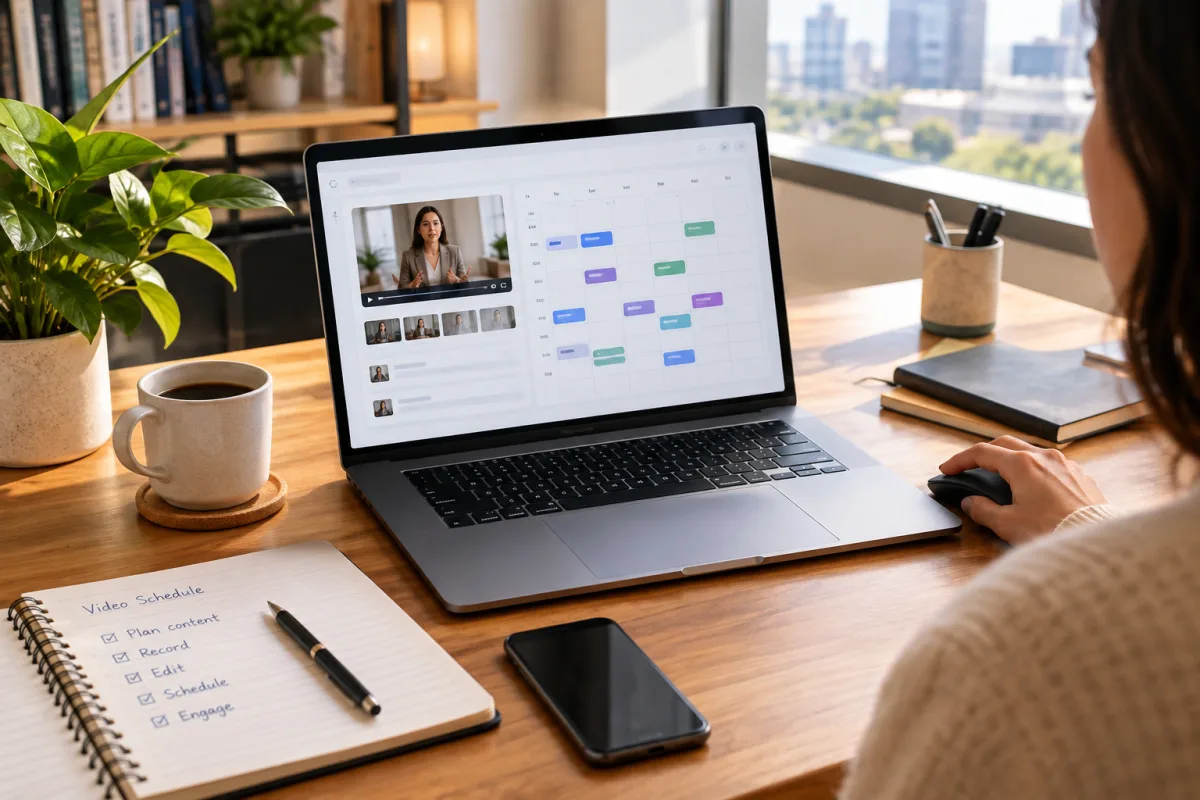
Content Review and Final Edits
Before scheduling, ensure the video content has passed a thorough review process. This includes checking facts, names, and any data presented to ensure accuracy.
Brand consistency is key; confirm that visuals, tone, and messaging align with your established brand identity to maintain audience trust.
Final edits should address any last-minute fixes in cuts, transitions, audio levels, and subtitles. Small teams can use collaborative tools to streamline this review process.
Platform-Specific Formatting
Each social media platform has unique video specifications and audience expectations that influence how your video should be formatted before posting.
Aspect ratios vary: 16:9 for YouTube, 9:16 for TikTok and Instagram Reels. Make sure you prepare videos accordingly to avoid awkward cropping or black bars.
Video length also matters—short videos perform better on TikTok and Instagram, while YouTube supports longer formats. Captions and subtitles increase accessibility and engagement across all platforms.
Metadata and Descriptions
Effective metadata helps your video reach the right audience. Tailor titles and descriptions for each platform's style and user expectations.
Titles should be concise and include relevant keywords to improve discoverability, especially on YouTube and LinkedIn.
Descriptions can provide context and include hashtags or tags, particularly important on TikTok and Instagram for trending visibility.
Scheduling Timing and Frequency
Posting at the right time boosts video reach. Analyze your past performance to find peak engagement hours.
Consider your audience's time zones to ensure your video goes live when they are most active.
Avoid overposting to maintain audience interest and prevent fatigue. Consistency is better than volume.
Cross-Posting and Federation Considerations
Distributing videos across multiple platforms, including federated networks like Mastodon and Bluesky, requires thoughtful customization.
Avoid posting identical content across federated platforms to reduce spam flags; instead, tweak captions or formats slightly.
Use cross-posting tools that respect federation norms and metadata requirements to maintain good standing and audience engagement.
Quality Control Checks
Before scheduling, review your video on multiple devices and browsers to catch playback issues.
Verify audio quality and synchronization to prevent distracting problems.
Check that captions display correctly and are timed well for accessibility.
Legal and Compliance Review
Double-check that your video complies with platform policies to avoid takedowns.
Confirm that all media elements are properly licensed or owned to prevent copyright issues.
Ensure you have consent for any individuals featured, respecting privacy laws.
Final Workflow Integration
Document your checklist and integrate it into a repeatable video publishing workflow for your team.
Use tools like VidSyndicate to centralize video scheduling and distribution across platforms, including federation-friendly networks.
Automate repetitive tasks such as uploading and cross-posting to reduce manual errors and save time.
Effective Collaboration and Communication in Small Teams
Smooth collaboration is the backbone of an efficient creator posting workflow, especially in small teams where members often juggle multiple roles. Establishing clear communication channels and responsibilities helps prevent missteps and ensures everyone knows their tasks and deadlines. Tools like Slack, Microsoft Teams, or Discord can centralize conversations and reduce email clutter, keeping discussions focused and accessible.
Regular check-ins or stand-up meetings foster alignment across the team. These brief sessions allow members to share updates, flag potential issues early, and coordinate on scheduling or content revisions. For asynchronous teams or those with flexible hours, shared status boards or project management apps like Trello, Asana, or Notion can track progress transparently without requiring constant meetings.
Defining roles clearly—such as content creator, editor, social media manager, and compliance reviewer—helps prevent overlap and confusion. Even in small teams where individuals wear multiple hats, having documented responsibilities reduces bottlenecks and improves accountability. When new team members join, clear role definitions speed onboarding and integration into the posting workflow.
Encourage a culture of feedback where team members can review each other's work constructively. Using collaborative editing platforms with commenting features streamlines this process. Constructive feedback loops ensure higher quality output and continuous improvement, making the content stronger before it reaches the audience. This approach also builds team cohesion and shared ownership of the content and workflow.
Optimizing Video Content for Accessibility
Accessibility is crucial for reaching a broader audience and complying with platform guidelines. Ensuring your videos are accessible means more people, including those with disabilities, can engage with your content. Start by including accurate captions or subtitles, which not only assist viewers with hearing impairments but also benefit users watching videos without sound, a common behavior on social media.
Beyond captions, consider audio descriptions for important visual elements that aren't conveyed through dialogue. While not mandatory on all platforms, audio descriptions enhance comprehension for visually impaired viewers and demonstrate a commitment to inclusivity. Some video editing tools support adding and exporting audio description tracks alongside the primary audio.
Use clear, high-contrast visuals and readable fonts for any on-screen text. Avoid color combinations that are difficult for colorblind viewers to distinguish, such as red and green. When possible, provide transcripts of your videos in the description or linked resources. Transcripts improve SEO and allow users to access content in text form, which can be helpful for non-native speakers or those in sound-off environments.
Finally, test your videos with accessibility tools or by getting feedback from users with disabilities. This testing helps identify issues that automated tools might miss, such as confusing navigation or unclear audio cues. Prioritizing accessibility not only expands your audience but also aligns your content with evolving platform standards and community expectations.
Leveraging Analytics to Refine Your Posting Workflow
Data-driven decision-making is essential for improving your creator posting workflow over time. After posting videos, closely monitor analytics on each platform to understand what resonates with your audience. Metrics like watch time, engagement rate, click-through rate, and audience retention provide insights into content effectiveness and optimal posting strategies.
Different platforms offer varying levels of analytics detail. For example, YouTube provides in-depth viewer behavior, while TikTok highlights trending sounds and hashtags. Use these insights to adjust video length, style, posting times, and metadata. Identifying patterns in successful posts helps you replicate winning formulas and avoid strategies that underperform.
Set measurable goals for your video campaigns, such as increasing views by a certain percentage or improving engagement rates. Regularly review progress against these goals in team meetings to keep efforts aligned and pivot strategies as needed. Sharing analytics transparently within the team fosters collective responsibility and encourages creative problem-solving.
Additionally, consider using third-party analytics tools that aggregate data across platforms, providing a unified dashboard for easier comparison and trend detection. VidSyndicate integrates with major platforms and can simplify analytics monitoring, helping small teams optimize their posting workflow without juggling multiple accounts or interfaces.
Advanced Cross-Platform Optimization Techniques
Beyond basic formatting and metadata adjustments, small creator teams can leverage advanced optimization techniques to enhance reach and engagement across platforms. One effective approach is to tailor video intros and outros specifically for each platform. For example, Instagram Reels and TikTok benefit from fast-paced, visually captivating openings to hook viewers immediately, while LinkedIn audiences may prefer a more professional and informative introduction. Crafting platform-specific intros and outros helps maximize viewer retention and aligns content with platform culture.
Another technique involves customizing call-to-action (CTA) elements per platform. On YouTube, end screens and cards can direct viewers to subscribe or watch related videos, while on TikTok and Instagram, CTAs often take the form of engaging captions or interactive stickers encouraging comments or shares. Small teams should plan CTAs during editing or post-production to ensure they fit naturally within the content and platform norms, enhancing conversion without feeling intrusive.
Utilizing platform-native features also enhances optimization. For instance, Instagram Stories and Facebook support polls, quizzes, and link stickers that can be integrated with video posts to boost interaction. TikTok’s duet and stitch functionalities allow creators to engage with trends and other users' content. Planning how your video can connect with these features during production or scheduling phases creates opportunities for viral engagement and community building.
Finally, consider repurposing content segments to fit emerging platform trends or formats. Short clips extracted from longer videos can serve as teaser content or highlights on platforms favoring brief, snackable videos. This modular approach to video content increases flexibility and output without significantly increasing production workload, a key advantage for small teams managing multiple platforms. Planning these variations ahead of scheduling ensures a cohesive and efficient posting strategy.
Managing Video Assets and Version Control
Efficient video asset management is critical for small teams to maintain organization and avoid confusion across multiple platforms and versions. Start by establishing a clear folder and file naming convention that includes platform, version, date, and content description. This practice helps quickly identify the correct file for each platform and scheduling slot, reducing errors like uploading outdated or incorrectly formatted videos.
Use cloud storage solutions with version control features to manage video drafts, edits, and final cuts collaboratively. Platforms such as Google Drive, Dropbox, or dedicated video asset management tools enable team members to access the latest files while preserving a history of changes. This transparency prevents duplicated efforts and facilitates easy rollback if issues are discovered after publishing.
Implementing a change log or release notes document associated with each video project can further clarify updates made during editing and review. This log should include timestamps, editors involved, and descriptions of edits or fixes. Sharing this with the team ensures everyone is aware of the current status and any outstanding actions before scheduling.
When scheduling posts across platforms, link the correct video files explicitly in your project management or scheduling tools. VidSyndicate, for example, supports managing multiple versions and can help maintain consistency by centralizing assets and scheduling data. This integration minimizes risk of mismatches and supports smoother workflows, especially when multiple team members handle different publishing stages.
Balancing Creativity and Consistency in Content Production
Small creator teams often face the challenge of producing fresh, creative content while maintaining a consistent brand identity and posting schedule. Striking this balance requires deliberate planning and flexible workflows. One strategy is to develop a content theme or style guide that outlines visual elements, tone, and messaging pillars. This guide serves as a creative north star, allowing team members to innovate within defined boundaries, ensuring new content feels both fresh and familiar to the audience.
Scheduling regular brainstorming sessions encourages creativity without sacrificing consistency. These meetings can generate ideas aligned with upcoming campaigns, platform trends, or audience feedback. Documenting and prioritizing these ideas in a shared backlog or content calendar helps maintain a steady flow of content that meets both creative goals and publishing deadlines.
Leverage user-generated content (UGC) and collaborations to inject variety while keeping brand consistency. Featuring fans, partners, or influencers can diversify content voices and styles, reducing the pressure on your team to produce all original material. Ensure clear guidelines and review processes are in place for UGC to maintain quality and compliance.
Finally, allocate time for periodic content audits to assess what types of videos resonate best and which creative approaches align with your brand’s growth objectives. Use insights from analytics to inform future creative direction, refining your content mix to balance innovation with audience expectations. This cyclical process supports sustainable creativity that complements consistent publishing.
How this connects to VidSyndicate
VidSyndicate supports streamlined publishing workflows by allowing you to manage and schedule videos across platforms like Facebook, Instagram, TikTok, LinkedIn, Pinterest, YouTube, Mastodon, and Bluesky from a single interface. This checklist aligns well with VidSyndicate's approach to reducing friction in your creator posting workflow. To explore how VidSyndicate can help you upload once and post everywhere, check out our guide on Upload Video Once, Post Everywhere. Useful next reads are Upload Video Once, Post Everywhere and YouTube Scheduler.